Build your website by talking. Then run the whole place.
Say what you want. Watch it happen — the real AI, on a made-up facility, right here.
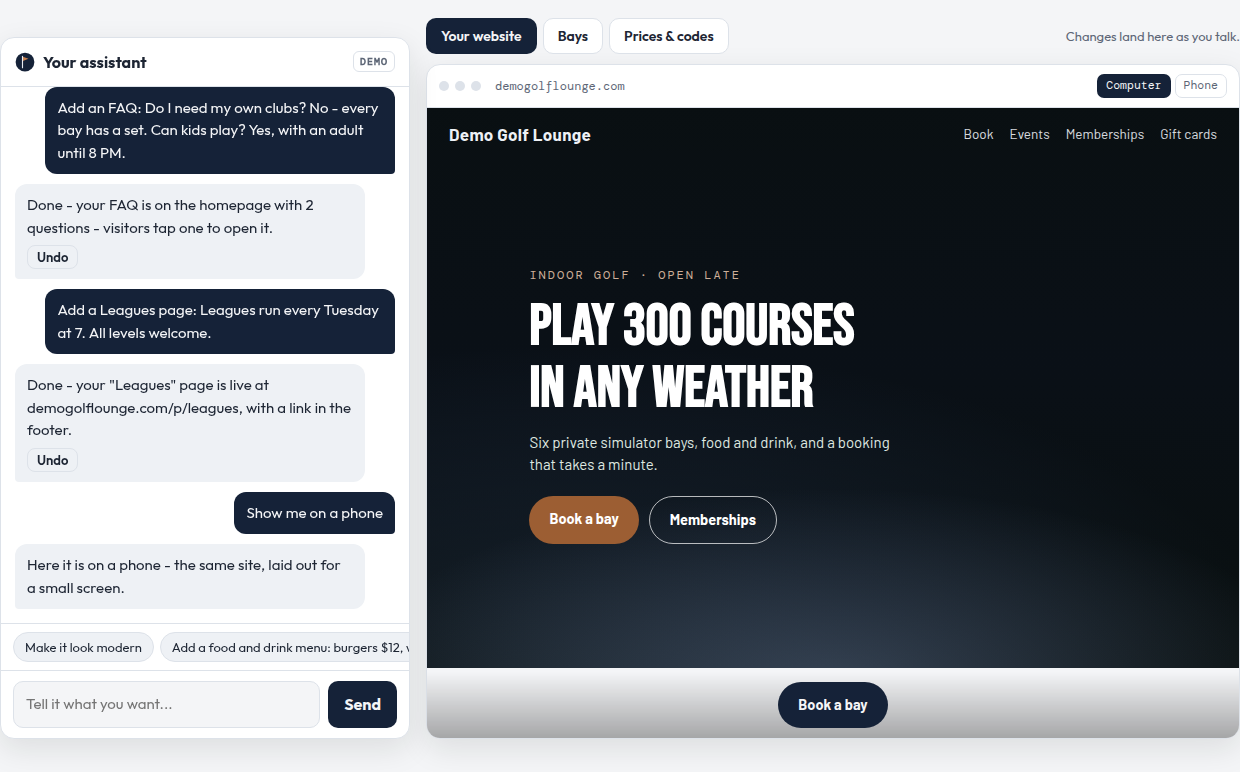 Watch it build this
Your software. Your AI. Your building. Nothing monthly.
The box sits at your facility, on your own network. Bookings, customers, the counter and your website live there - not rented from someone else's cloud.
A small AI model runs on the box itself. Talk to it all day - no per-message charge, and it keeps answering when the internet is down.
No subscription can switch it off. Not per bay, not per door, not for the AI. You buy the box once; 1 bay or 20 costs the same.
Customers' details never leave the building. Door codes, member PINs, gift card codes and keys never reach any AI.
Your website, by talking
Who you are, a whole look, colours by name, 48 fonts, specials, the menu, your rates, an FAQ, pages of its own. Undo on every change.
Watch it build a website →The screen follows you
Say it and the view beside the chat jumps to what changed — the site, the booking page, your panel, the staff pad.
Watch it run a day →One menu, by talking
“Add a new beer for $5 called Ale IPA.” Servers ring it up at once, and “show our menu on the website” puts it on the site.
Watch it add a beer →Specials, with a flyer
“$1 off rail drinks tonight.” It shows where you choose, and “make a flyer for it” draws one in your own colours.
Watch it run a special →The numbers, by asking
“Who is playing right now?” “Are we up from last week?” “Tax this quarter?” — and the spreadsheet, from the chat.
Watch it answer →The staff and the schedule
“Put Sarah on Saturday 4 to 11.” “Approve Mike's time off.” A new employee's sign-in code is shown to you alone.
Watch it build a schedule →Your smart home, in the box
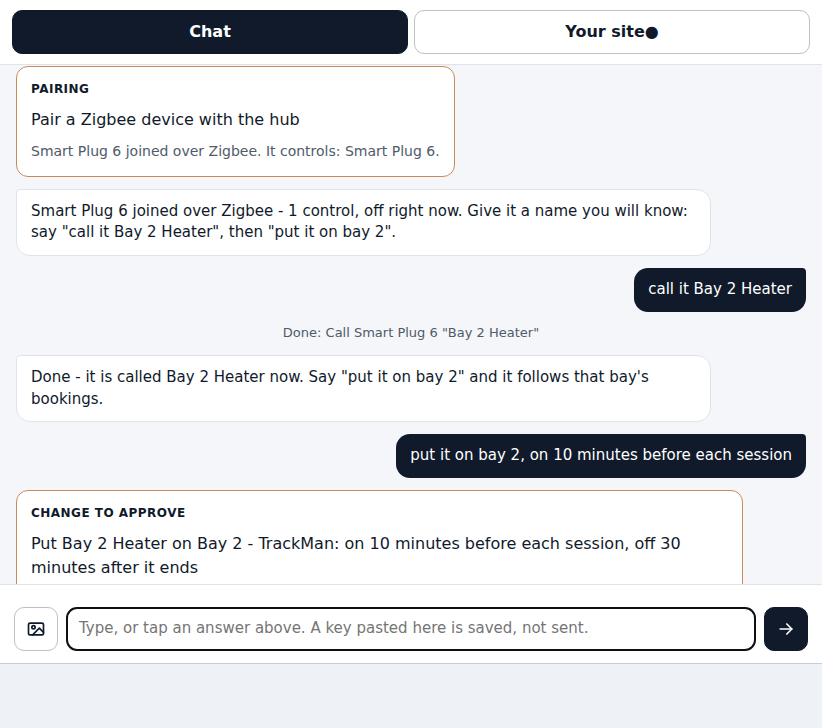
The Z-Wave, Zigbee and Matter radios are inside. “Pair a new Zigbee plug”, put it on a bay, and it follows the bookings.
Watch it pair a plug →Yours, in your building
It runs on the box at your facility, on your own network. Customers' details never leave the building; door codes and PINs never reach any AI.
Just talk to it →Your AI runs the building, on your own network.
The smart-home hub is inside the box: Home Assistant with the Z-Wave, Zigbee and Matter radios in it. Use the plugs, lights and thermostats you have — Z-Wave and Zigbee pair from the chat; a Matter device is set up in its own app first, then shared to the box.
Name them, put them on a bay, and they follow the bookings: on before each session, off after. The heat, the AC and the lounge TV follow the whole facility, so one bay ending never turns the game off.
Show it once, and it does it for you. Say “watch what I do on bay 2”, click through it once on that PC, and it runs it again when a session starts.
From anywhere. Your site's own address on your phone, and the box in the building does the work. Doors open by code; the assistant never locks or unlocks a door.
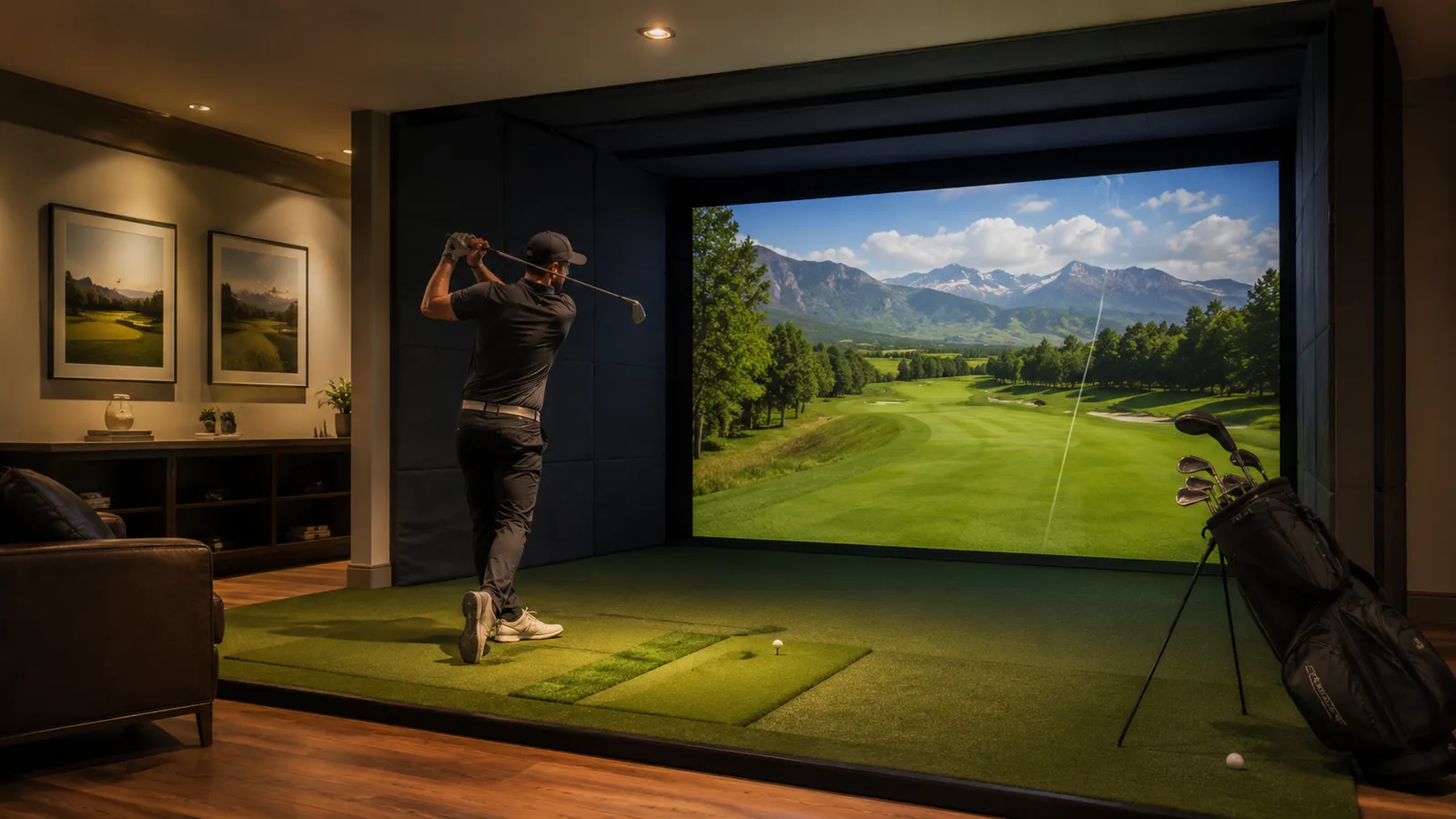
The whole simulator business on one box — with no monthly fee.
Booking and payments, the door and the bays, and a real register for the nights someone is there. Staff or no staff, bar or no bar, one bay or twenty: the same box and the same software.
- No monthly fee
- No per-bay or per-door fee
- Door codes included
- 1 bay or 20
- Staffed or not
- Bar or no bar
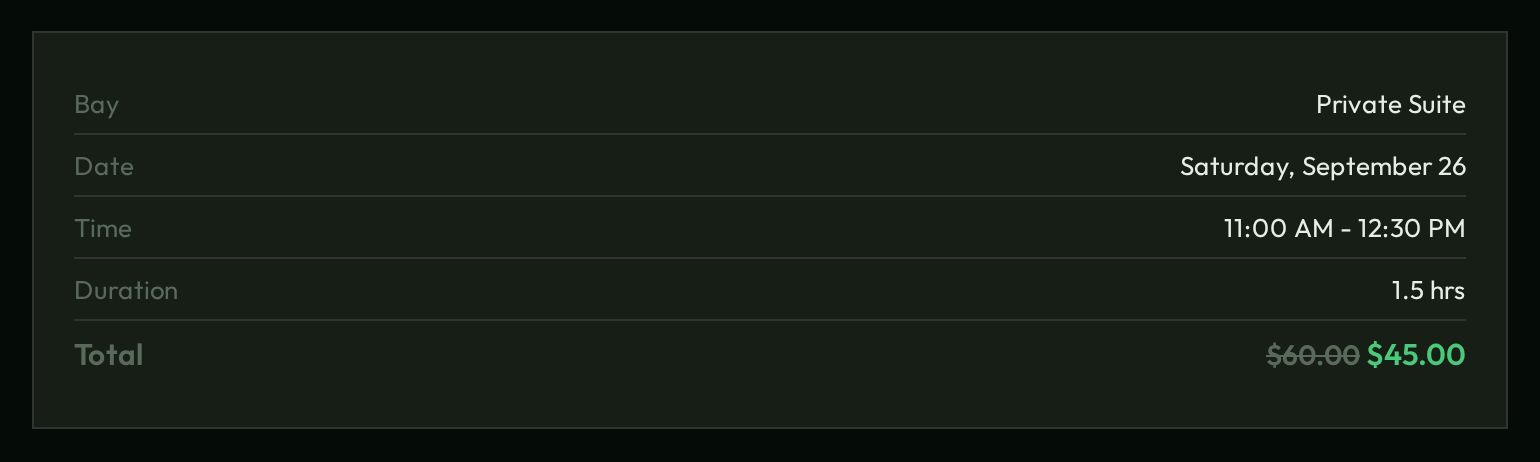
Everything here is a live sandbox. Northgate Golf Club and everyone in it are made up. Book, sign in as the owner, work a shift — nothing is charged, sent or unlocked, and it all resets when you leave. What would have been sent is in the Emails & texts sent.
No monthly fee. Not per bay, not per door.
You buy the box once. The software on it is the same at one bay or twenty, one door or six, a full staff or nobody on site. Nothing is metered and nothing is held back for a higher tier.
No monthly software fee
One purchase. You own the box, the software, your customers' data and your domain.
No per-bay, per-door or per-staff fee
Add a bay, a door or an employee and the bill does not move. The same software runs 1 bay or 20.
Door codes included
Every booking gets its own door code. Put a Z-Wave keypad lock on your own network through Home Assistant and those codes cost nothing a month. How the door works
Count it yourself
Type what you pay now, or were quoted, each month. Nothing you type leaves this page.
Type your monthly fees above to see what they add up to.
With BA Core 2 AI, as with BA Core today, the monthly fee is $0 at any of these sizes; you pay once for the box (models and price are under How to buy). Stripe, Twilio and Resend charge their own per-use fees, as they would with any system.
Five ways to run a facility. One system.
The first screen asks how you run; the assistant leads the rest of setup, one question at a time, and sets the switches. You can change your answer any time, by talking.
Book, pay, walk in
Nobody on site. Waivers are signed online, the door code comes by text, the bay is already on.
Someone at the counter
No door codes. Waivers at the counter, deposits, member golf on the tab.
Staffed some hours
A staffing calendar decides: counter rules while someone is in, self-service the rest.
A private club
No member code, no booking. No price shows until a member signs in.
Rent the building
One booking takes every bay at the building rate.
One evening at Northgate.
What happens between a booking and the lights going off — and where to see each part.
A customer books
Picks a bay and a time; the price shown is the price charged, member rates included.
The booking pageA group checks in
Shares, member rates and the deposit worked out at the counter; food on each person's tab.
The counter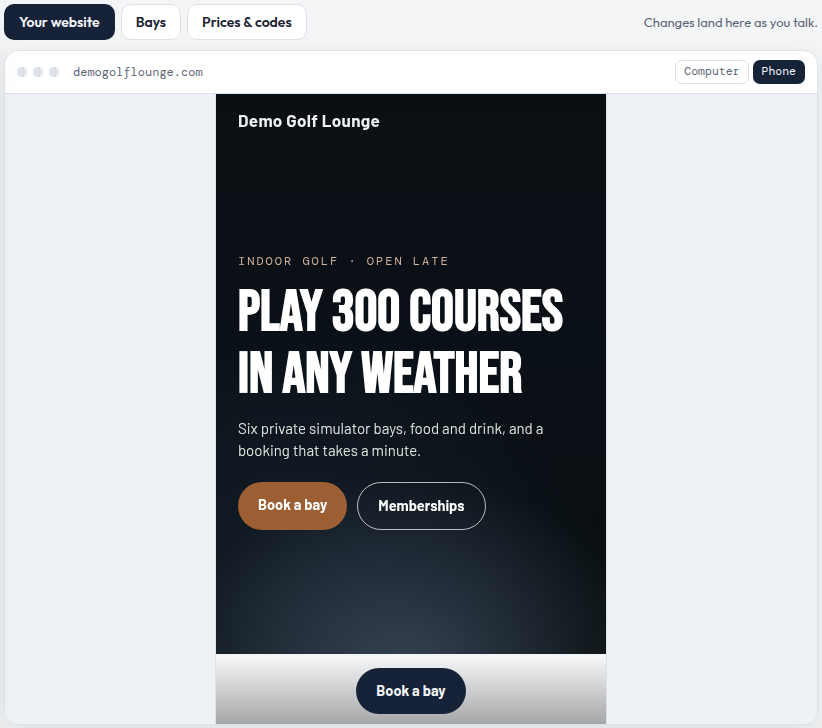
Fifteen doors, every one open.
Follow the guided tour, or open any door below. The login is next to each one.
Take the guided tourEleven walkthroughs on the real assistant. Pick one.
This is what it does, and how easy it makes it. Each walkthrough says its lines into the real chat on the demo facility, answers what it asks and approves what asks first — and the view beside the chat moves to wherever each answer lands, with what changed boxed and named. Pick one and it starts by itself at a relaxed pace you can read (Quick on the strip if you want it faster) — or go line by line; switch to another walkthrough from the tabs above the chat, or just talk to it. Best on a laptop.
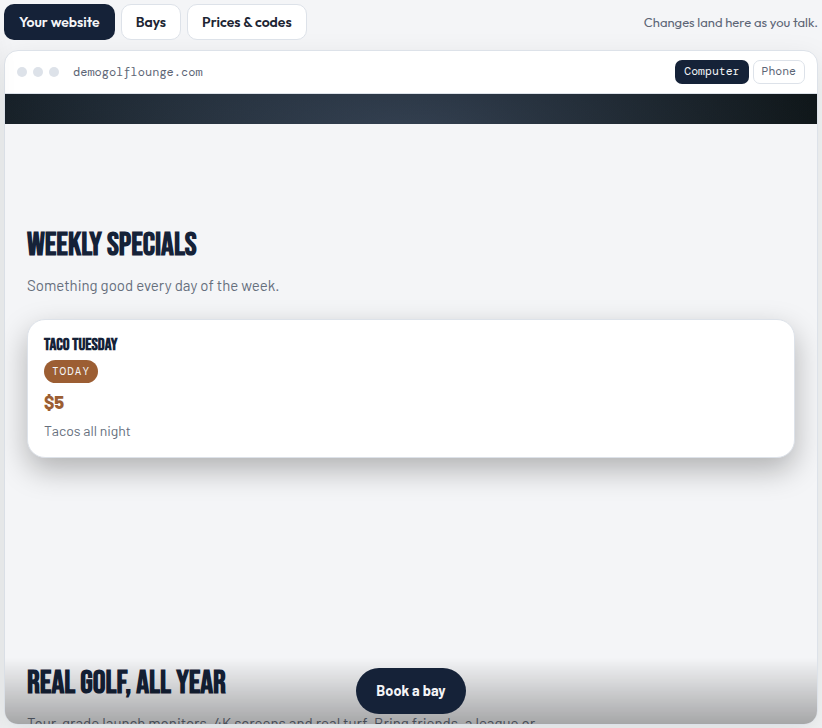
Watch it build a website
“We are an indoor golf lounge with six bays, food and drink, open late” · “make it look modern” · “add a Taco Tuesday special” · “give the menu its own page” · “make a flyer for it”
Fourteen requests, from a plain page →Watch it build a two-week schedule
“Who is working this weekend?” · “approve Mike's time off” · “put Sarah on Saturday 4 to 11” · “schedule Mike for Friday 5 to close” · “copy this week's schedule to next week”
Two weeks, eight requests →Watch it run a day
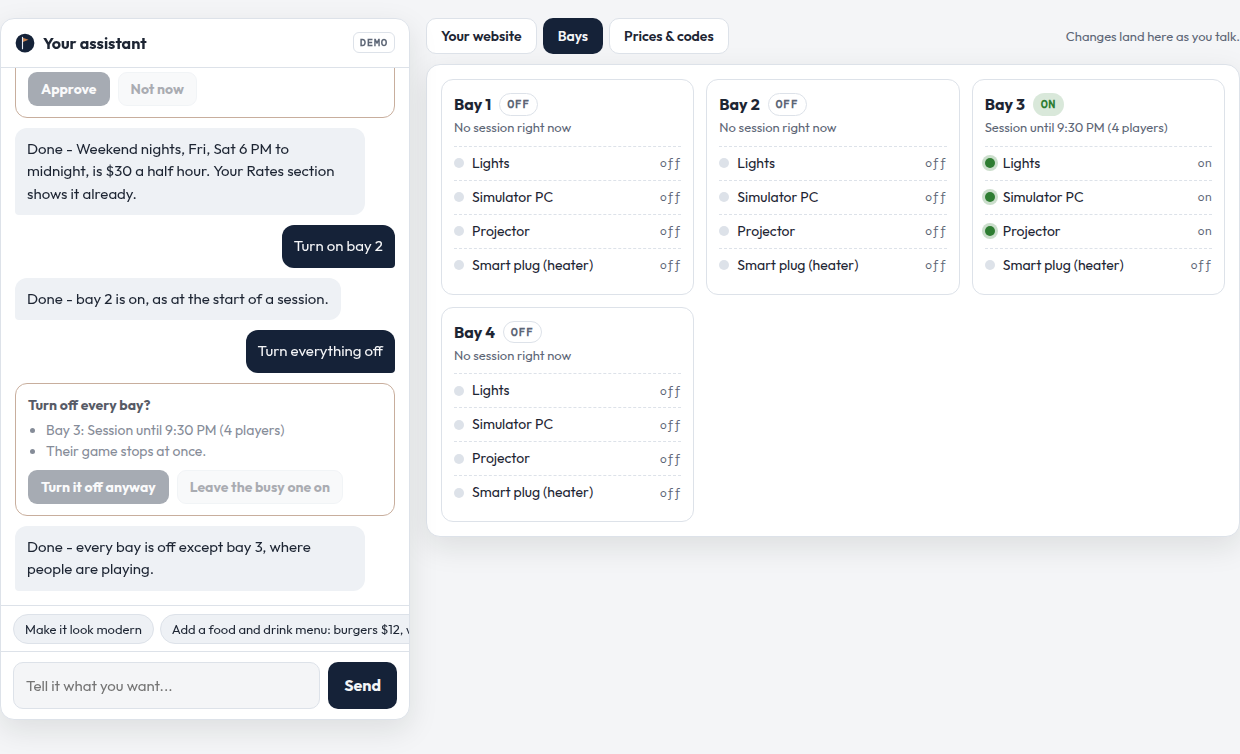
“Who is on the clock?” · “turn on bay 2” · “what is tonight looking like?” · “run a special on drinks tonight” · “email it out” · “turn everything off”
Morning to close, eight requests →Watch it turn on a bay
“Turn on bay 2” — the plug, the projector, the PC, as at the start of a session · “who is playing right now?” · “turn off the lounge lights” · “turn off bay 3” · “turn everything off”
Five requests →Watch it add an employee
“Who is on the staff list?” · “add Jordan Lee to the staff” (the sign-in code is shown to you alone) · “put Jordan on Saturday noon to 6” · “who is working Saturday?” · “who is on the clock?”
Five requests →Watch it pair a plug and put it on a bay
“What devices do we have?” · “pair a new Zigbee plug” · “call it Bay 2 Heater” · “put it on bay 2, on 10 minutes before each session” · “turn on the bay 2 heater” · “unlock the front door” (never - by talking)
The automation side, eight requests →Watch it run the heat, the AC and the lounge TV
“Put the lobby thermostat on the whole facility, on 30 minutes before, and turn it down if nothing is booked for 3 hours” · “set the lobby thermostat to 68” · “put the lounge TV on the whole facility” · “the lobby lights follow the opening hours” · “turn off bay 3” — the heat and the TV stay on
The whole building, seven requests →Watch it learn a bay's PC
“Watch what I do on bay 2, it starts GSPro” — click through it once on that PC · “what routines do we have?” · “save it, run it when a session starts and keep the connector running” · “run it”
Show it once, six requests →Watch it set up a TV
“Find the TV remotes” · “add a TV to the Private Suite on 10.0.0.63” · “learn its power button” (pressed on the TV's own remote) · “it's called Suite TV” — on with each session from then on
Five requests →Watch it answer how busy you are
“Who is playing right now?” · “how many bookings tomorrow?” · “what is tonight looking like?” · “are we up from last week?” · “how many members do we have?” · “profit this month?”
Seven questions →Watch it export your taxes
“What are our tax rates?” · “how much tax did we collect this quarter?” · “set the food tax to 7.5%” · “export the tax for last quarter” — a spreadsheet for your accountant, from the chat
Four requests →As the owner
Admin consoleBookings, members, pricing, the door, revenuedemo Website builderThe facility's site, with a live previewdemo The assistant (BA Core 2 AI)Setup and everything after it, by talking: the site, specials, prices, baysdemo Build a site from nothingFourteen requests from a plain page to a finished site with its flyer; ten more walkthroughs: a two-week schedule, a day, a bay, an employee, a plug, the whole facility's heat and TV, a bay's PC taught by showing it once, a TV, how busy you are, the taxesdemo Set up a new unit by talkingThe first screen asks your name, a password and how you run; the assistant leads the restno password Records & signaturesRetention, evidence packetsdemoAs a customer
The facility's websiteWhat customers find first Book a bayMember PINs and codes change the price4417 · 5590 Join a membershipMock checkout, a working PIN Member portalUsage, credit, cancelMark Halvorson · 4417 Look up a bookingCancel with a refund; the door code once it is texted701-555-0142 · 123456 Gift cardsGIFT-DEMO50 carries $31.50The whole facility, not a booking widget.
Everything below ships on every unit. Nothing is held back for a higher tier.
Booking & members
- By bay or by time; only bookable slots are offered
- The price shown is the price charged, members included
- Memberships that settle online, by deposit or at the counter
- Waivers recorded, never written for you
A real register for the nights someone is there
- Keypad sign-in; every action signed by name
- Group check-in with shares, member rates and deposits worked out
- A tab per golfer, split checks to the penny, kitchen and bar printers
- Card reader, cash drawer and End of day
Schedule, clock, coverage, and hours
- A week grid with open shifts employees can claim
- A staffing calendar that flags gaps a week ahead
- A timeclock with breaks, and an hours export for payroll
- A website builder with a live preview
- Your bookings in your own calendar: a private link, or a spreadsheet, calendar file or CSV
- Updates with one tap: now, or tonight after closing
Door codes with no lock subscription. On your own network.
Every booking gets its own code. Put a lock on the facility's own network and those codes cost nothing a month — and they keep working when the internet doesn't.
Why local matters
A cloud lock service works only while the facility's internet and the lock company's servers are both up. When either isn't, new codes never reach the lock, and a customer stands outside with a code that won't open the door.
A local lock talks to the unit over its own radio, inside the building. The unit makes the code, asks the lock whether it holds it, and only then texts the customer. If a lock ever fails to take a code, a backup code goes with the text and you are told. When the code is used, the lock says so, and the booking shows the customer arrived.
Three ways to run the door
You set how early each code is made and when the text goes out. See the Door card · watch a code in Emails & texts sent
What you provide
No monthly fee to BA Custom Products. Your running costs are those services' own fees. The software records what you publish and what customers agree to; it never writes your waiver or says it is sufficient — see the recorder.
The box
One model. The booking system, its AI and the smart-home hub run inside it, in your building.
Current pricing is on the BA Core 2 AI product page.
Ready to own one? Talk to a person.
Ask about the box, lead times, setting up your building, or whether it fits the way you run.
Everything else on this site is invented: the facility, its people, bookings and numbers.
Is there a monthly fee?
Not to us. It is a one-time purchase: you own the hardware, the software, your data and your domain. Current pricing is on the BA Core 2 AI product page.
Does it cost more for more bays, doors or staff?
No. Nothing is metered: the same software runs 1 bay or 20, every door and every employee, with no monthly fee. Door codes are included, and a lock on your own network costs nothing a month.
Does it work with my simulator?
Yes. It runs the booking, payments, door and power around whatever simulator hardware and software you already use — TrackMan, GSPro, Foresight and the rest.
Do door codes need a lock subscription?
No. A Z-Wave keypad lock through Home Assistant, on the facility's own network, costs nothing a month and keeps working when the internet is down. UniFi Access and RemoteLock are supported too.
Can my employees see their schedule?
Yes. Each employee has a phone page with their shifts, open shifts to claim, time-off requests and their hours. It is an hours tool, not payroll.