The whole simulator business on one box — with no monthly fee.
Booking and payments, the door and the bays, and a real register for the nights someone is there. Staff or no staff, bar or no bar, one bay or twenty: the same box and the same software.
- No monthly fee
- No per-bay or per-door fee
- Door codes included
- 1 bay or 20
- Staffed or not
- Bar or no bar
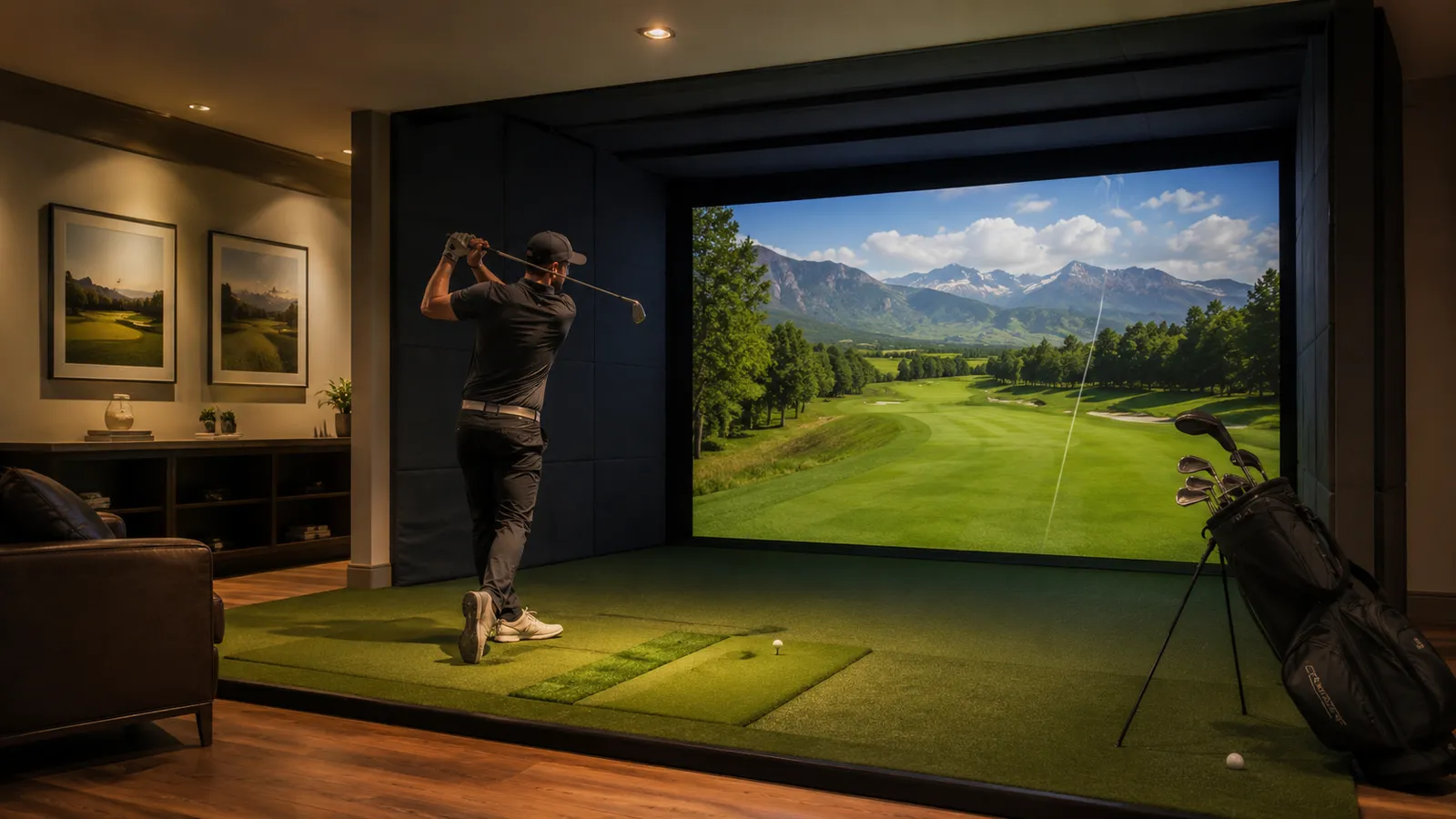
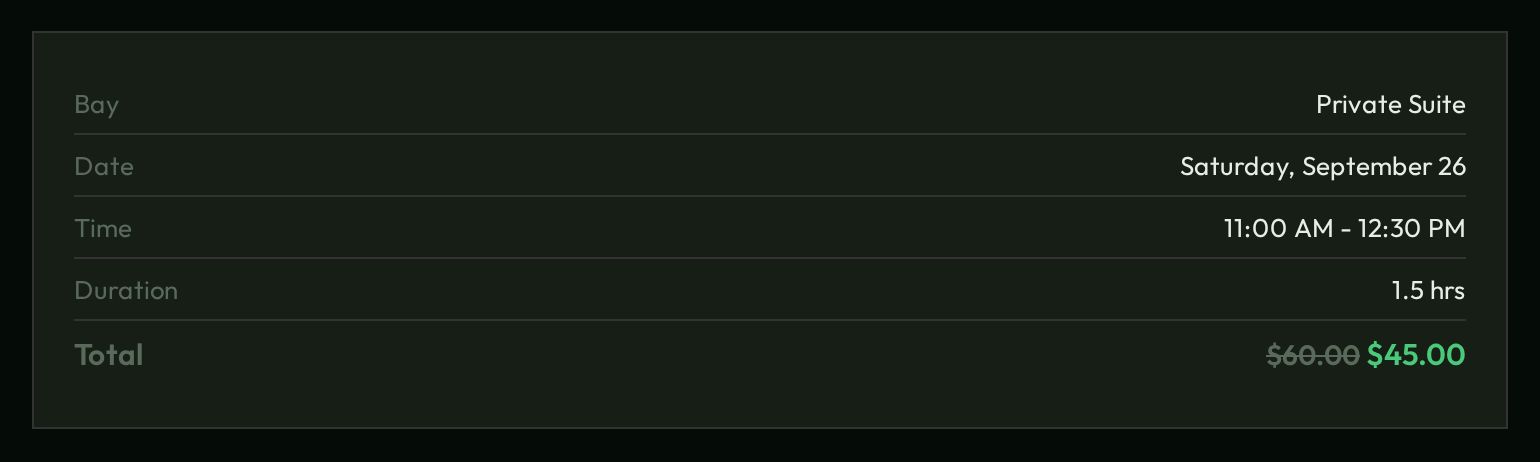
Everything here is a live sandbox. Northgate Golf Club and everyone in it are made up. Book, sign in as the owner, work a shift — nothing is charged, sent or unlocked, and it all resets when you leave. What would have been sent is in the demo outbox.
No monthly fee. Not per bay, not per door.
You buy the box once. The software on it is the same at one bay or twenty, one door or six, a full staff or nobody on site. Nothing is metered and nothing is held back for a higher tier.
No monthly software fee
One purchase. You own the box, the software, your customers' data and your domain.
No per-bay, per-door or per-staff fee
Add a bay, a door or an employee and the bill does not move. The same software runs 1 bay or 20.
Door codes included
Every booking gets its own door code. Put a Z-Wave keypad lock on your own network through Home Assistant and those codes cost nothing a month. How the door works
Count it yourself
Type what you pay now, or were quoted, each month. Nothing you type leaves this page.
Type your monthly fees above to see what they add up to.
With BA Core the monthly fee is $0 at any of these sizes; you pay once for the box (models and price are under How to buy). Stripe, Twilio and Resend charge their own per-use fees, as they would with any system.
Five ways to run a facility. One system.
The setup wizard asks how you run and sets the switches. You can change your answer any time.
Book, pay, walk in
Nobody on site. Waivers are signed online, the door code comes by text, the bay is already on.
Someone at the counter
No door codes. Waivers at the counter, deposits, member golf on the tab.
Staffed some hours
A staffing calendar decides: counter rules while someone is in, self-service the rest.
A private club
No member code, no booking. No price shows until a member signs in.
Rent the building
One booking takes every bay at the building rate.
One evening at Northgate.
What happens between a booking and the lights going off — and where to see each part.
A customer books
Picks a bay and a time; the price shown is the price charged, member rates included.
The booking pageA group checks in
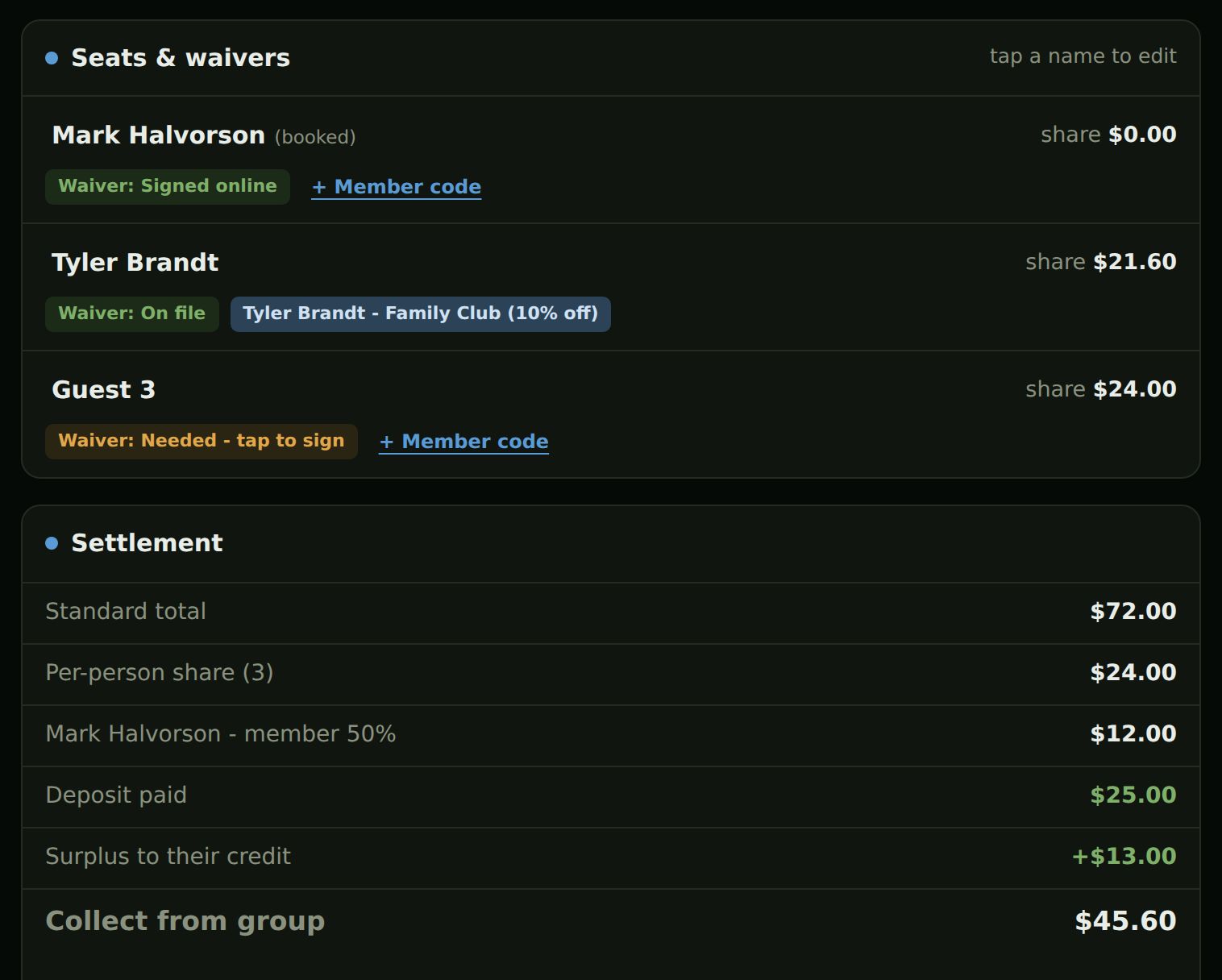
Shares, member rates and the deposit worked out at the counter; food on each person's tab.
The counter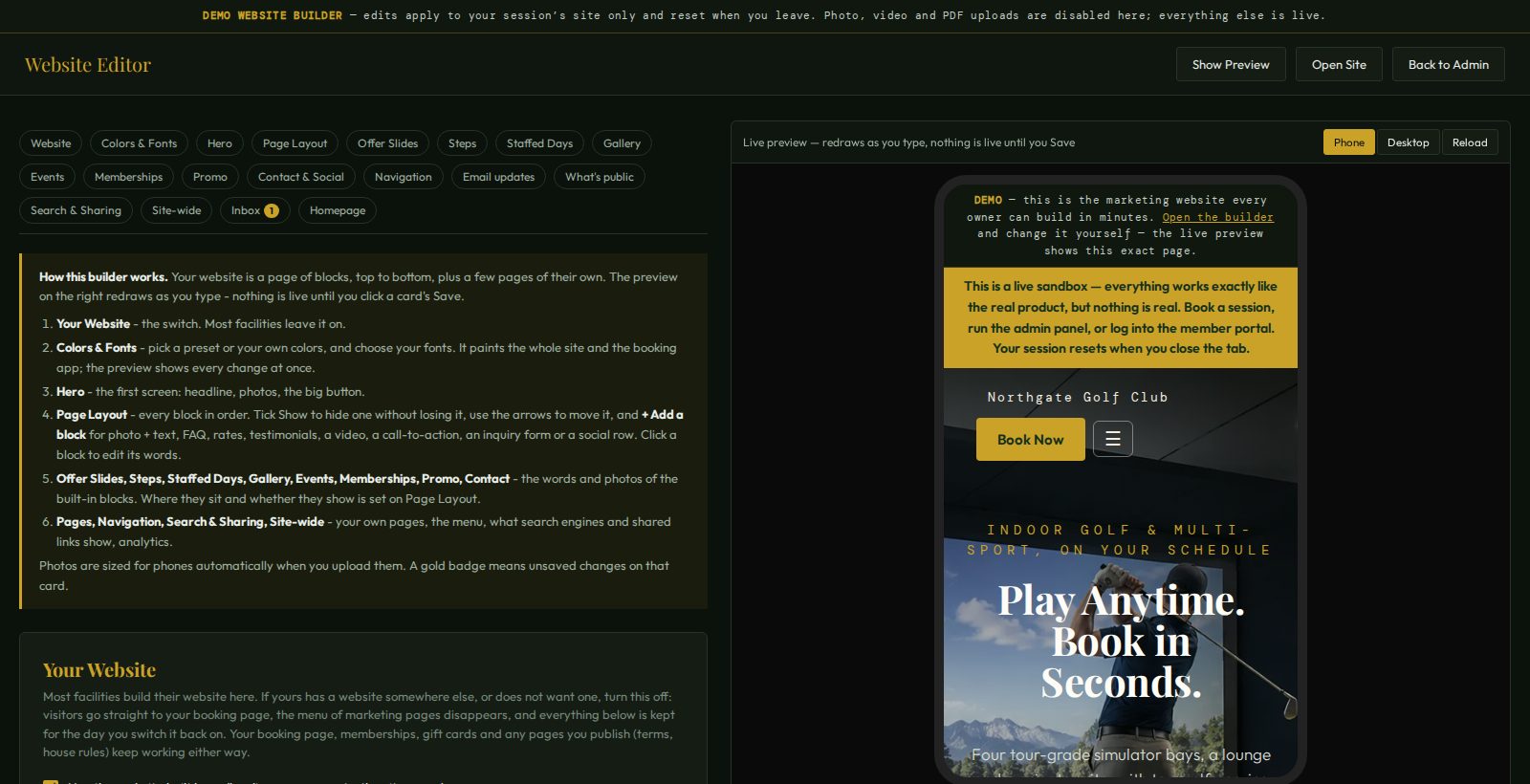
Thirteen doors, every one open.
Follow the guided tour, or open any door below. The login is next to each one.
Take the guided tourAs the owner
Admin consoleBookings, members, pricing, the door, revenuedemo Website builderThe facility's site, with a live previewdemo Setup wizardHow a new unit is set upno password Records & signaturesRetention, evidence packetsdemoAs a customer
The facility's websiteWhat customers find first Book a bayMember PINs and codes change the price4417 · 5590 Join a membershipMock checkout, a working PIN Member portalUsage, credit, cancelMark Halvorson · 4417 Look up a bookingCancel with a refund; the door code once it is texted701-555-0142 · 123456 Gift cardsGIFT-DEMO50 carries $31.50The whole facility, not a booking widget.
Everything below ships on every unit. Nothing is held back for a higher tier.
Booking & members
- By bay or by time; only bookable slots are offered
- The price shown is the price charged, members included
- Memberships that settle online, by deposit or at the counter
- Waivers recorded, never written for you
A real register for the nights someone is there
- Keypad sign-in; every action signed by name
- Group check-in with shares, member rates and deposits worked out
- A tab per golfer, split checks to the penny, kitchen and bar printers
- Card reader, cash drawer and End of day
Schedule, clock, coverage, and hours
- A week grid with open shifts employees can claim
- A staffing calendar that flags gaps a week ahead
- A timeclock with breaks, and an hours export for payroll
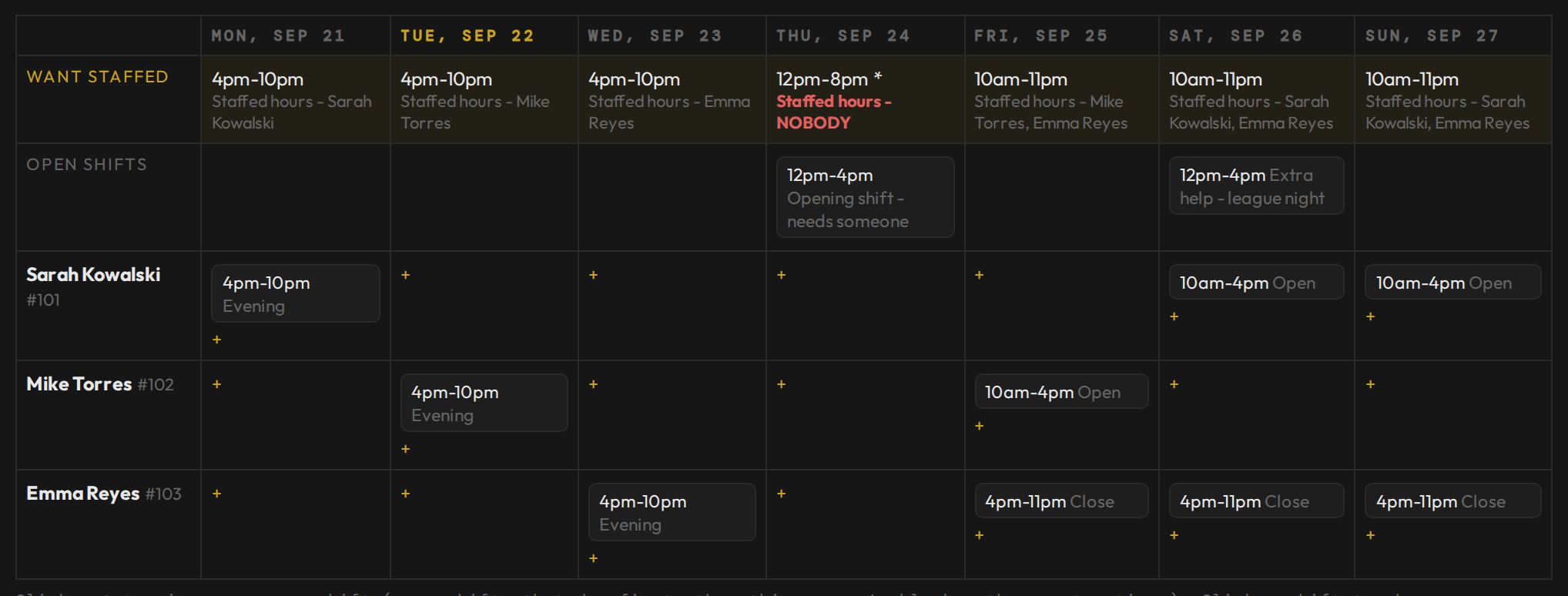
- A website builder with a live preview
Door codes with no lock subscription. On your own network.
Every booking gets its own code. Put a lock on the facility's own network and those codes cost nothing a month — and they keep working when the internet doesn't.
Why local matters
A cloud lock service works only while the facility's internet and the lock company's servers are both up. When either isn't, new codes never reach the lock, and a customer stands outside with a code that won't open the door.
A local lock talks to the unit over its own radio, inside the building. The unit makes the code, asks the lock whether it holds it, and only then texts the customer. If a lock ever fails to take a code, a backup code goes with the text and you are told. When the code is used, the lock says so, and the booking shows the customer arrived.
Three ways to run the door
You set how early each code is made and when the text goes out. See the Door card · watch a code in the outbox
What you provide
No monthly fee to BA Custom Products. Your running costs are those services' own fees. The software records what you publish and what customers agree to; it never writes your waiver or says it is sufficient — see the recorder.
The box
The same software runs on every model; you choose storage and power, not features.
Models and current pricing are on the BA Core product page.
Ready to own one? Talk to a person.
Ask about models, lead times, setting up your building, or whether it fits the way you run.
Everything else on this site is invented: the facility, its people, bookings and numbers.
Is there a monthly fee?
Not to us. It is a one-time purchase: you own the hardware, the software, your data and your domain. Current pricing is on the BA Core product page.
Does it cost more for more bays, doors or staff?
No. Nothing is metered: the same software runs 1 bay or 20, every door and every employee, with no monthly fee. Door codes are included, and a lock on your own network costs nothing a month.
Does it work with my simulator?
Yes. It runs the booking, payments, door and power around whatever simulator hardware and software you already use — TrackMan, GSPro, Foresight and the rest.
Do door codes need a lock subscription?
No. A Z-Wave keypad lock through Home Assistant, on the facility's own network, costs nothing a month and keeps working when the internet is down. UniFi Access and RemoteLock are supported too.
Can my employees see their schedule?
Yes. Each employee has a phone page with their shifts, open shifts to claim, time-off requests and their hours. It is an hours tool, not payroll.